
Pawn shop management software
PawnIT
Pawn shop software built for the way South African pawn shops actually work. Loans, the till, stock, lay-by, payroll, accounting and the registers you have to keep, connected in one web-based system instead of spread across paper, a separate POS and a spreadsheet.
In the shop
One system for the counter, the stock room and the books.
PawnIT covers the lending lifecycle, selling forfeited stock, and the registers and returns South African pawn shops keep.
- Modules
- Loans, point of sale, inventory, lay-by, payroll, accounting and more
- Access control
- 22 permissions across 13 groups, with screens hidden where staff should not go
- Branches
- Inventory, customers, day-end and accounting across branches in one view
- South Africa
- SAPS Register, NCR Form 39, VAT returns and NCA disclaimers
What’s included
The work of a pawn shop, grouped the way it happens.
Lending and the shop floor
Pawn loan management
The full lending lifecycle: pack-out, part-capital payments, extensions, redemptions, forfeits and expired-loan tracking, with automatic interest and real-time payoff quotes.
Point of sale
Barcode scanning, card auto-calc, QR scan-to-cart, tax invoicing, split payments and receipt printing, for walk-in or registered customers.
Inventory and barcodes
QR and barcode generation, batch label printing, scanner search, condition tracking and supplier linking. Categories run from jewellery and electronics to tools, firearms and vehicles.
Lay-by
Deposits, instalments, extensions, cancellations and refunds across the full lay-by lifecycle, with a debtors view for outstanding balances.
Customers, staff and money
Customers and KYC
South African ID validation with a Luhn check, automatic date of birth and gender extraction, ID and photo capture, KYC status, a blacklist option and debtor tracking.
Payroll
Employee wages, South African tax brackets, UIF, staff loans, commissions and payslip generation.
Accounting
Double-entry general ledger, chart of accounts, income statement, balance sheet, expenses and inventory valuation.
Suppliers and procurement
Supplier records with contact and tax details, purchase orders and quotations.
Branches, reporting and controls
Multi-shop and branch support
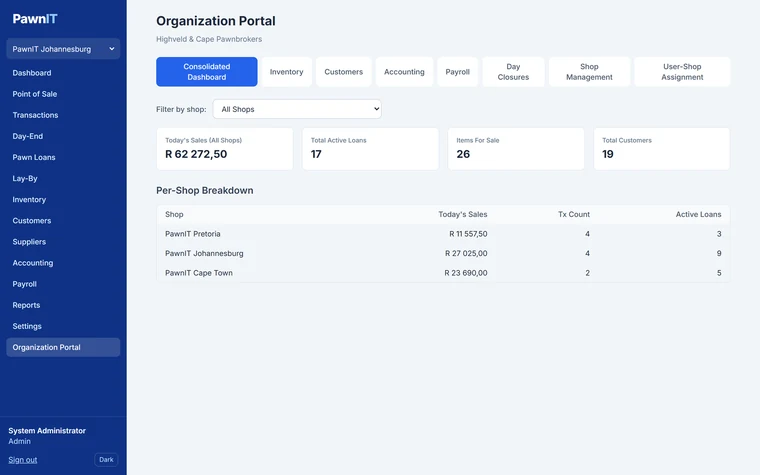
A consolidated dashboard across branches, with inventory, customers, day-end and accounting in one view, and staff assigned to the branches they work in.
Reports
Sales, inventory, loans, customers and day-end reconciliation reports, exportable to Excel, CSV or PDF.
Registers and returns
SAPS Register, NCR Form 39 and VAT return exports, plus NCA disclaimers, ready when you need them.
Roles and permissions
Ready-made Admin, Manager, Cashier, Appraiser and Read-only roles, with 22 permissions across 13 groups.
Audit and backups
Full audit logging and automated daily backups.
Lending and retail
From the loan counter to the sales floor.
Appraise an item, issue a collateral loan, and follow it through redeem, renew or forfeit. Forfeited stock can then be sold through the built-in point of sale without capturing it a second time.
- Real-time payoff quotes and automatic interest calculation
- Barcode and QR scanning in both point of sale and inventory
- Cash and card tracked separately for day-end reconciliation
- Tax invoices and printed receipts
Compliance and control
Registers, forms and the right people seeing the right screens.
PawnIT helps you keep the registers, forms and disclaimers South African pawn shops work with, with role-based access so staff only see what they should.
These tools support your record-keeping. They do not replace checking your own obligations with the relevant authorities or your advisers.
- SAPS Register, NCR Form 39 and VAT return exports
- South African ID validation with automatic date of birth, gender and age extraction
- 22 permissions across 13 groups, with interface elements hidden where they do not apply
- Full audit logging and automated daily backups
Key features
The detail your staff work with every day.
-
Live shop dashboard
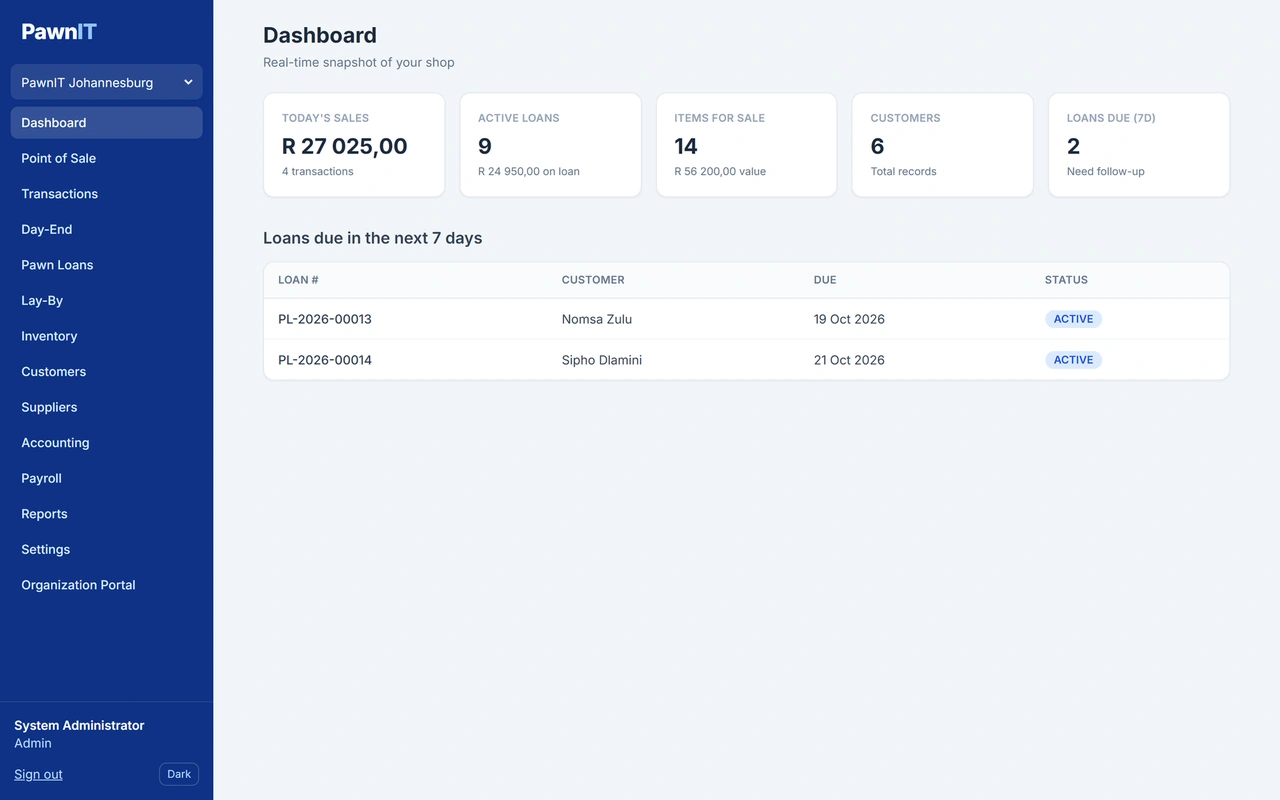
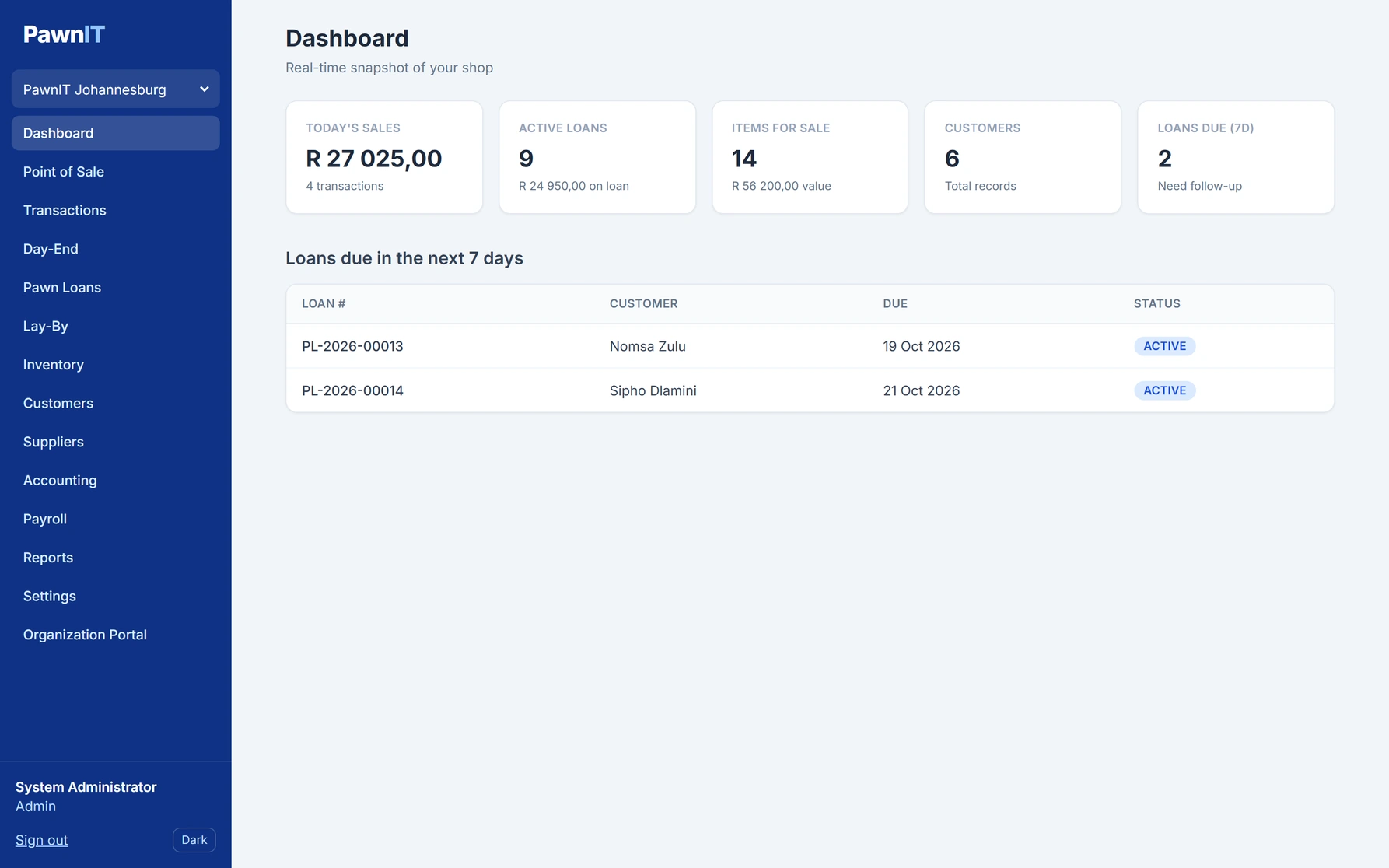
Today’s sales, active loans and the amount out on loan, stock for sale and its value, your customer count, and the loans due in the next seven days.
-
Thorough item intake
Record the category, condition, brand, serial number, storage location, appraised value, retail price and damage notes for every item.
Add photos from several angles using a webcam, a phone camera or an uploaded file.
-
Stock that follows the loan
Each item moves through clear statuses: held as collateral, redeemed, forfeited and in its hold period, for sale, and sold. You always know where an item stands.
-
Tax invoices at the till
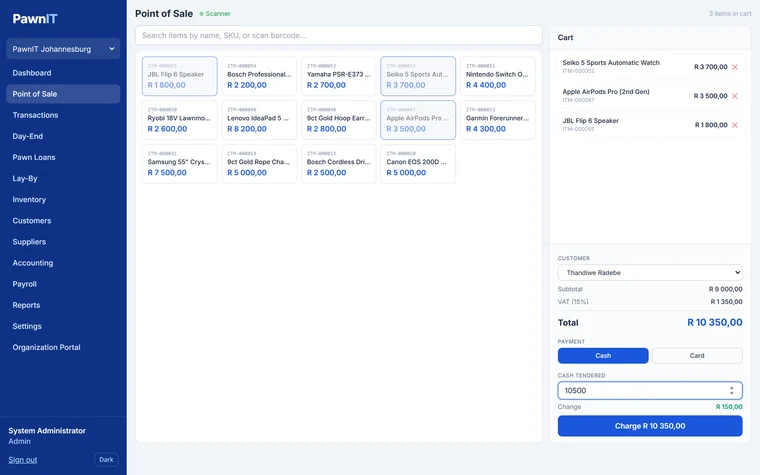
VAT is calculated automatically, change is worked out from the cash tendered, and every sale produces a tax invoice you can print straight away. Sell to a walk-in or a registered customer.
-
Lay-by and debtors
See every lay-by as active, completed, cancelled or expired, with the total, deposit, balance and expiry date, and follow up outstanding amounts in a separate debtors view.
-
Staff and payroll
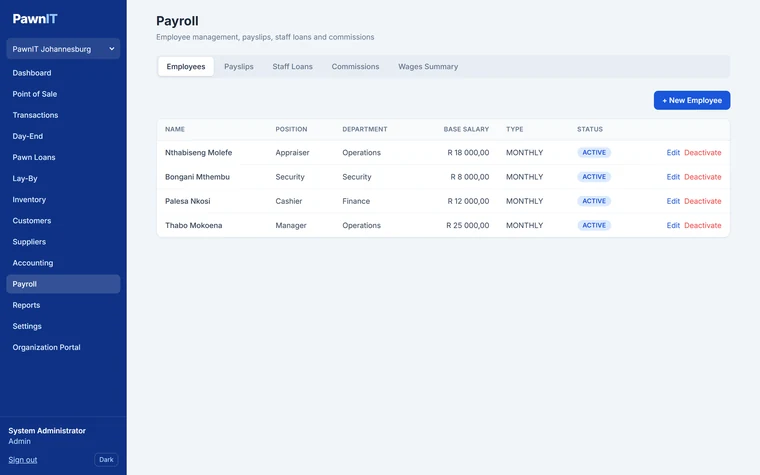
Employee records with banking details, payslips, staff loans, commissions and a wages summary. Link an employee to a user account to give them access to the system.
-
Organisation portal for branches
Switch between shops, compare sales and active loans per branch, review day closures, and see consolidated accounting and payroll. Manage shops and assign staff to the branches they work in.
-
Roles for every job
Ready-made roles for administrators, managers, cashiers, appraisers and read-only users, so each person sees the screens they need.
-
Exports when you need them
Export loans, lay-bys, stock and reports to Excel, CSV or PDF for your accountant, your records or an inspection.
Technical details
Runs in a browser, on your own server.
Staff use PawnIT in a web browser, so the counter, the back office and the owner can all work on the same system at the same time.
Product information
- Platform
- Web-based, used in a web browser
- Installation
- Windows or Ubuntu Linux, using Docker and the included installer
- Database
- PostgreSQL
- Branches
- One shop or several branches under one organisation
- Currency and VAT
- South African Rand and 15% VAT by default, both configurable
- Shop settings
- Shop name, invoice logo, default interest rate, loan term, grace period, hold period and record retention
- Display
- Light and dark mode
- Created by
- Kabusoft
Inside PawnIT
A look at the daily screens.
See how PawnIT runs the shop day to day, from issuing and tracking pawn loans to selling stock, managing lay-bys and comparing branches.
Shop operations
The counter and the till: what is due, what is out on loan and what is selling today.
-
 View full size
Live dashboard
Today’s sales, active loans, stock for sale and customers at a glance, with the loans due in the next seven days.
-
 View full size
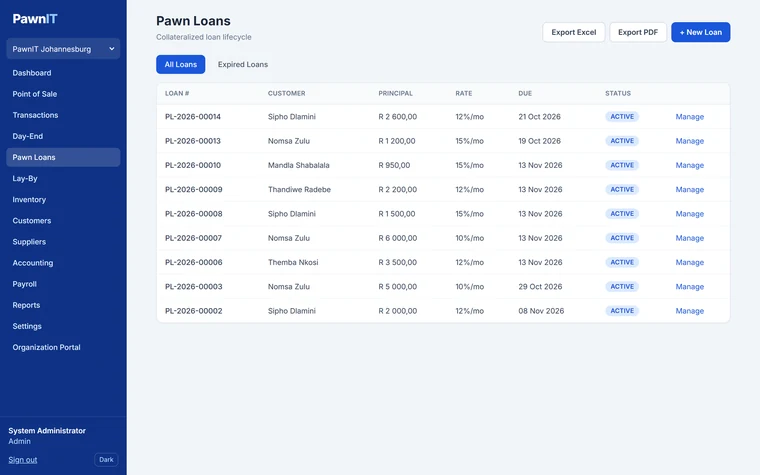
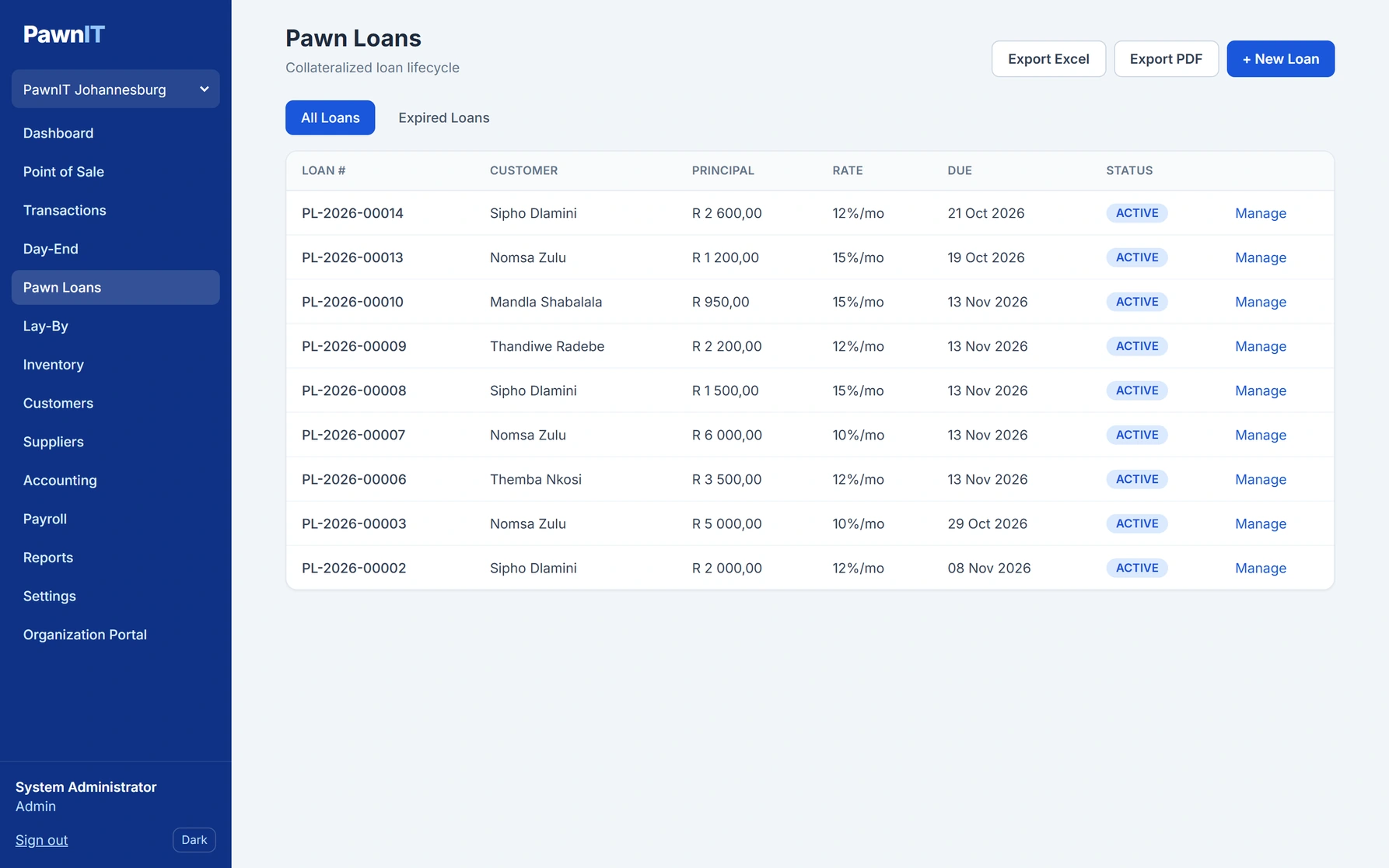
Pawn loans
Every loan with its principal, interest rate, due date and status, with a separate view for expired loans.
-
 View full size
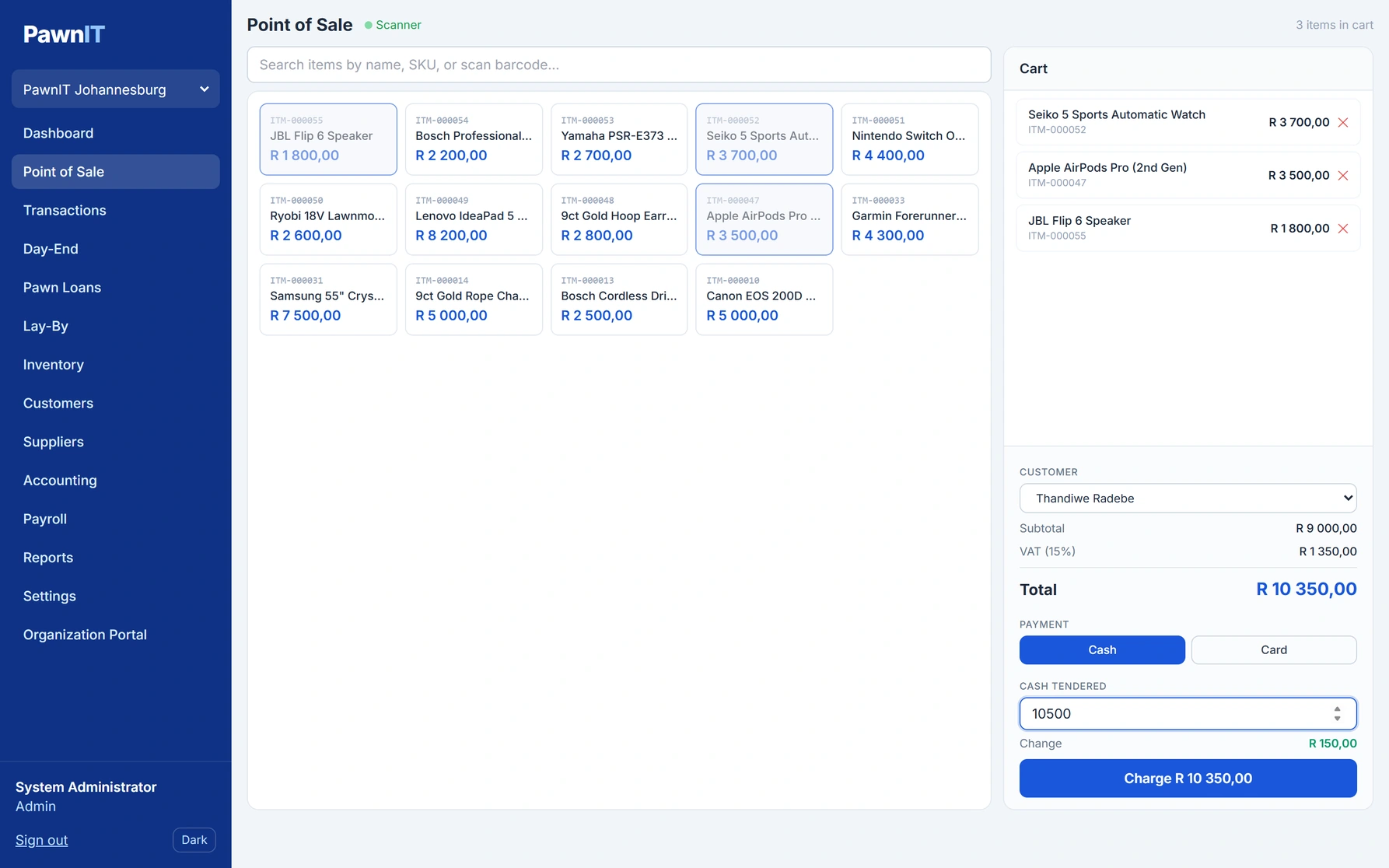
Point of sale
Scan or tap items into the cart. VAT and change are calculated for you, and the tax invoice prints in one click.
-
 View full size
Point of sale cart
Items in the cart with VAT, the customer, cash tendered and change worked out before you charge.

Inventory and retail
Getting stock captured properly, then onto the shelf and out on lay-by.
-
 View full size
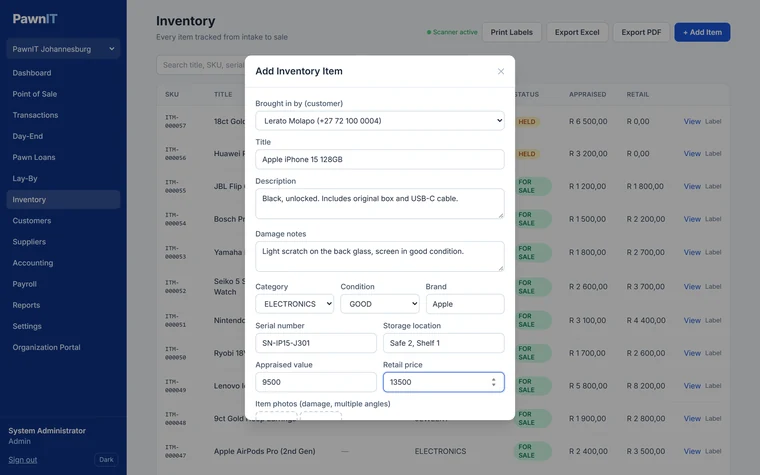
Item intake
Capture the category, condition, serial number, storage location, values, damage notes and photos for each item.
-
 View full size
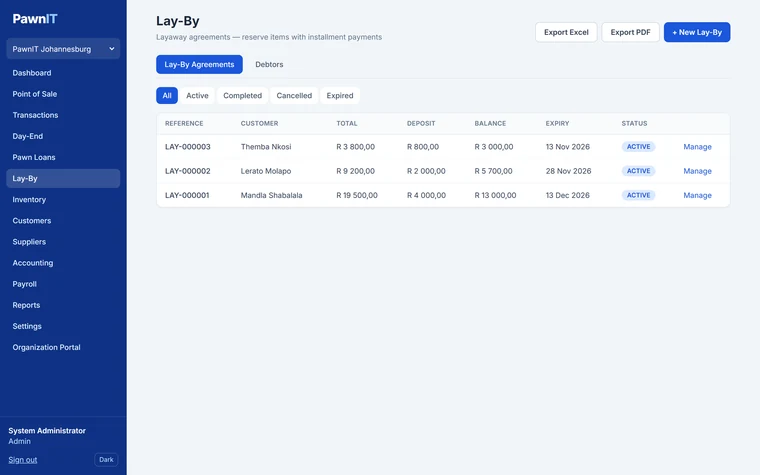
Lay-by
Each lay-by’s total, deposit, balance and expiry date, filtered by status, with a debtors view for follow-ups.


Business management
Branches, staff and the books, in the same system as the counter.
-
 View full size
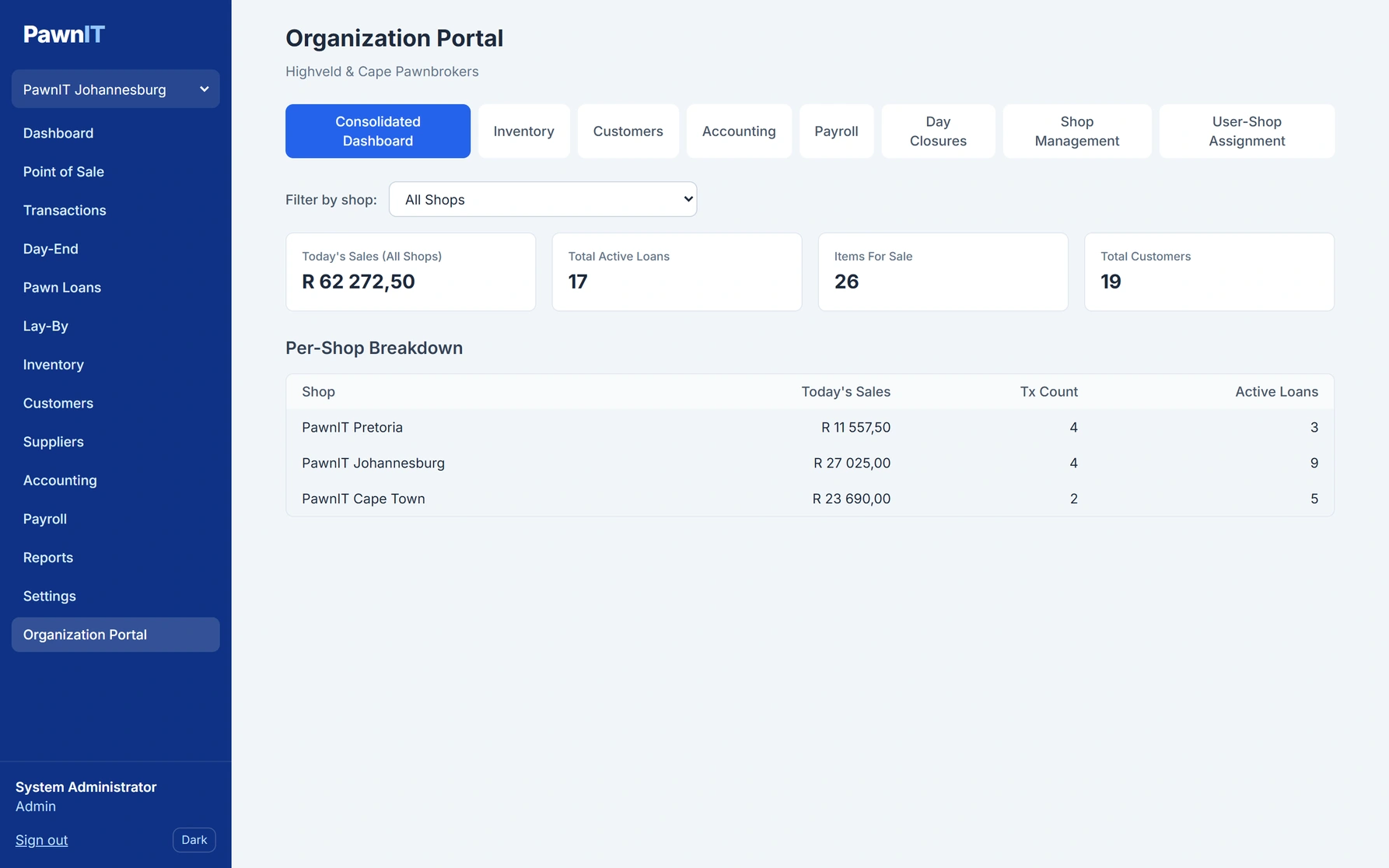
Organisation portal
Sales, active loans and stock across every branch, with a per-shop breakdown.
-
 View full size
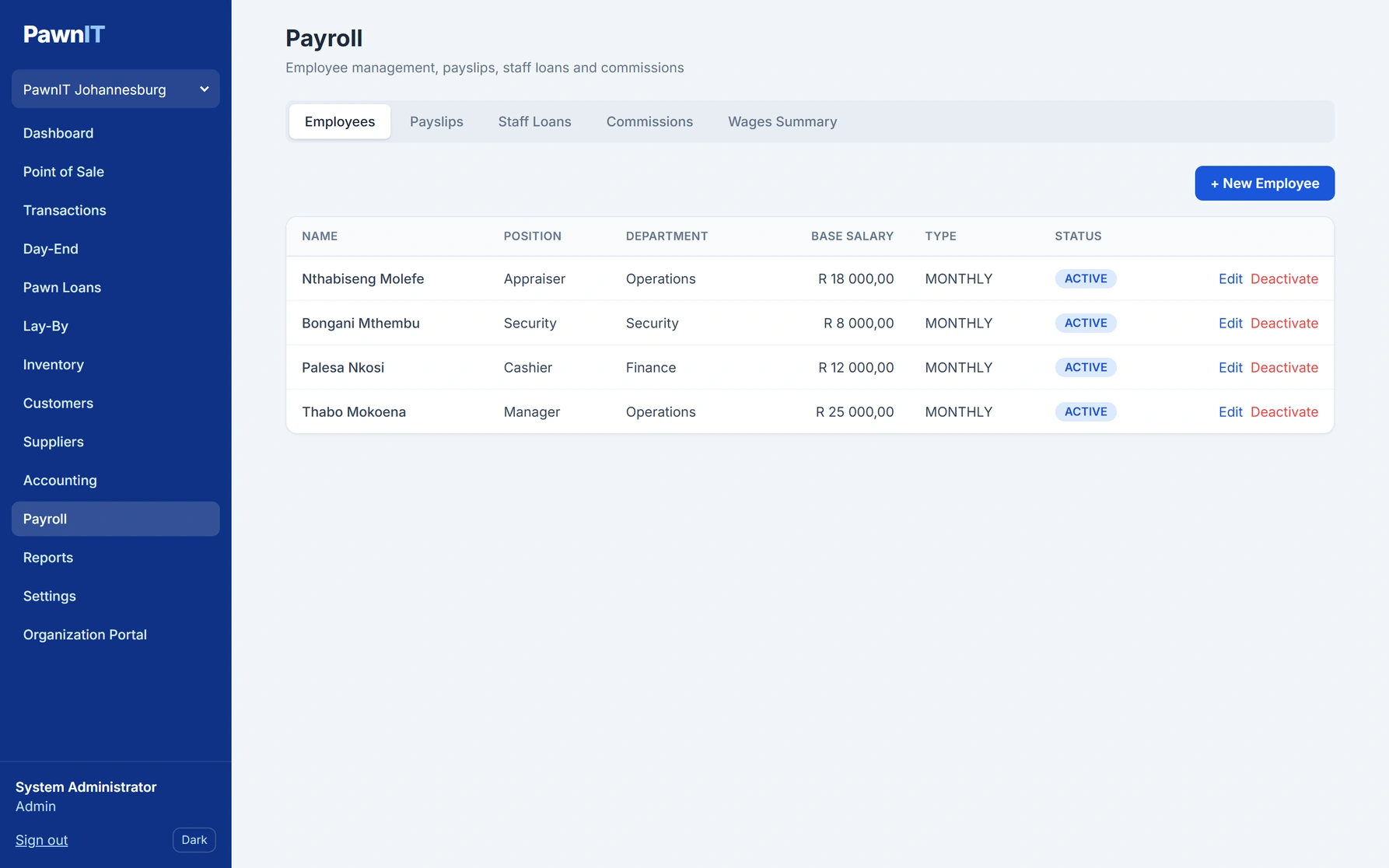
Payroll
Employees with their positions, departments and salaries, plus payslips, staff loans, commissions and a wages summary.
-
 View full size
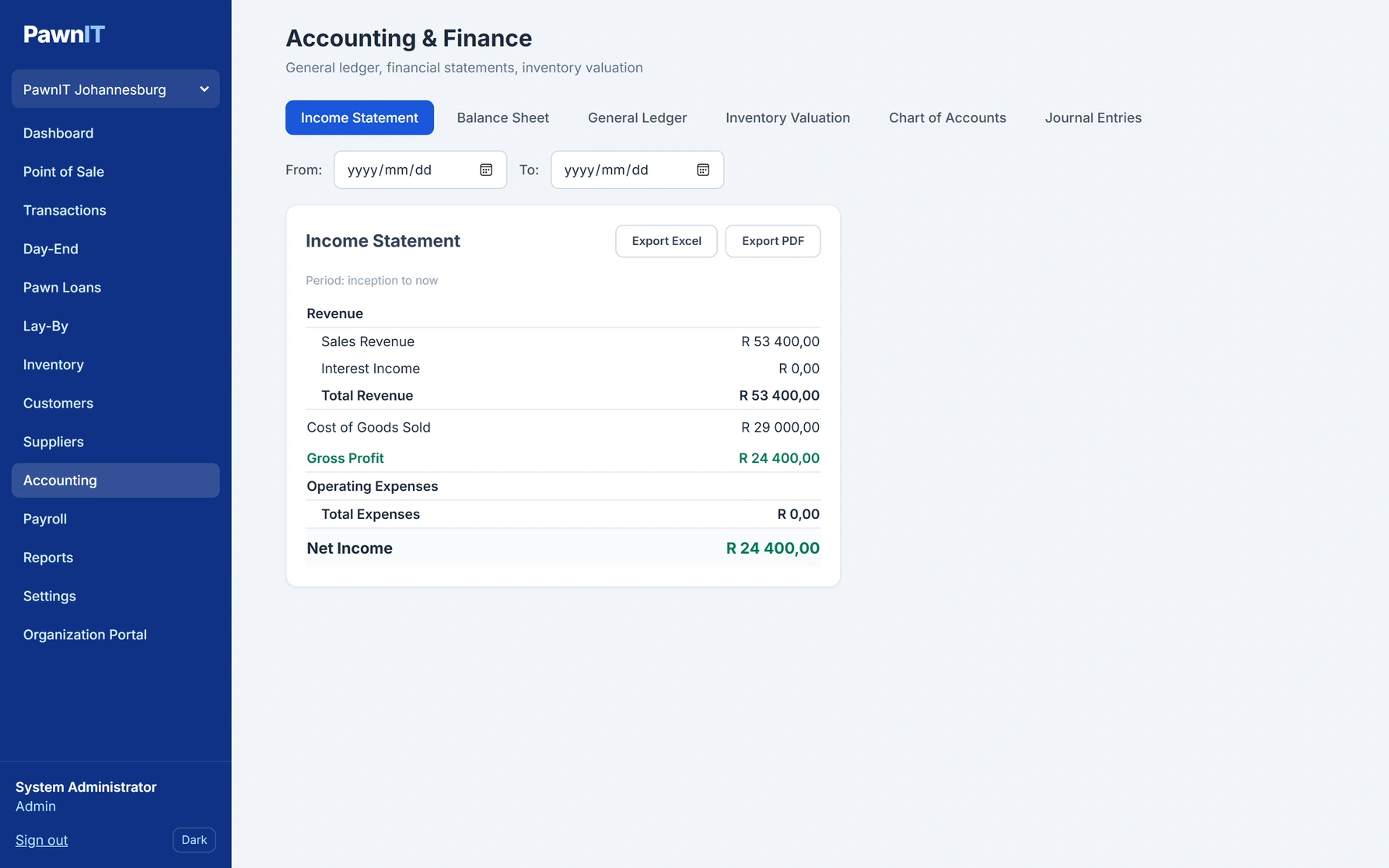
Accounting
An income statement built from the shop’s own sales and costs, with the balance sheet, ledger and valuation a tab away.
See it with your shop in mind
Want to walk through PawnIT for your shop?
Tell us how you work today. We can show you the parts that matter, from loans and the till to stock and compliance, and you can decide whether it fits.