
Personal finance for Windows
My Money
Simple personal finance software for your household. My Money is a Windows desktop budgeting application that helps individuals, couples and households manage their money in a simple, private and organised way.
Introduction
Your household finances in one place.
My Money gives you one place to manage income, expenses, accounts, budgets, recurring payments and monthly financial progress. You can manage your own finances, your spouse’s finances or view the complete household picture together.
Unlike complicated accounting systems or finance apps that depend on the cloud, My Money runs directly on your Windows computer. It includes its own local SQLite database, so there is no separate database software to install or configure.
It was created for people who want to understand where their money goes each month without needing advanced accounting knowledge.
Feature tour
Explore My Money in Action
See how My Money helps you manage personal and household finances, from everyday transactions and monthly budgets to recurring payments, reporting and secure backups.
-
 View full size
Dashboard
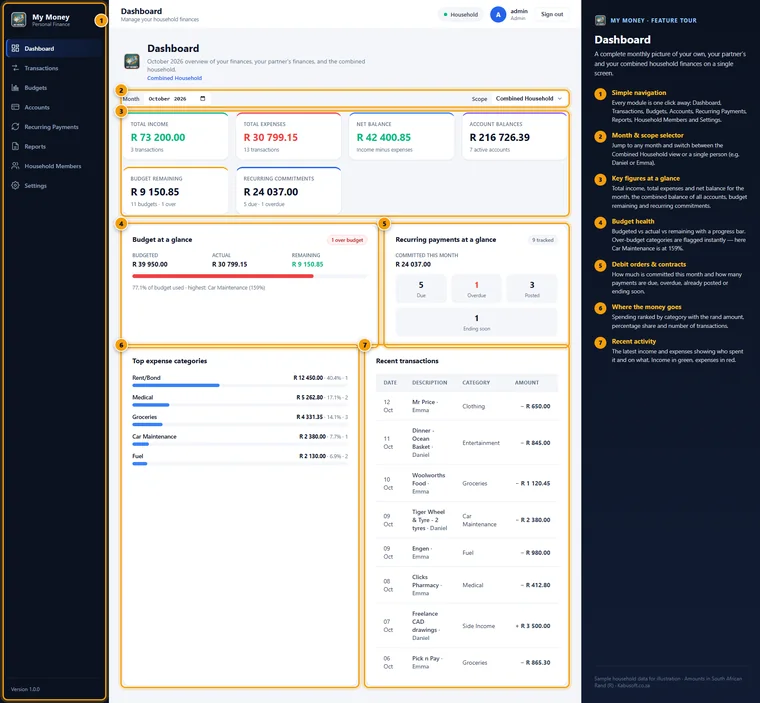
Your whole household’s month on a single screen: income, expenses, net balance, account balances, budget health, debit orders and recent activity.
-
 View full size
Transactions
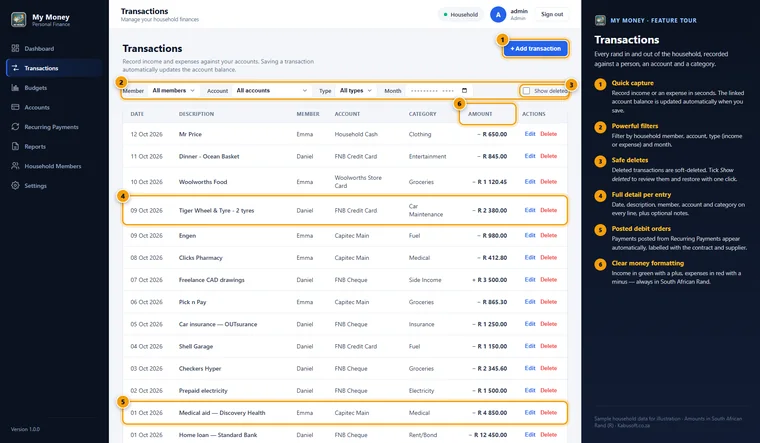
Every rand in and out, recorded against a person, an account and a category. Filter the list, and restore deleted entries if you need them back.
-
 View full size
Adding a transaction
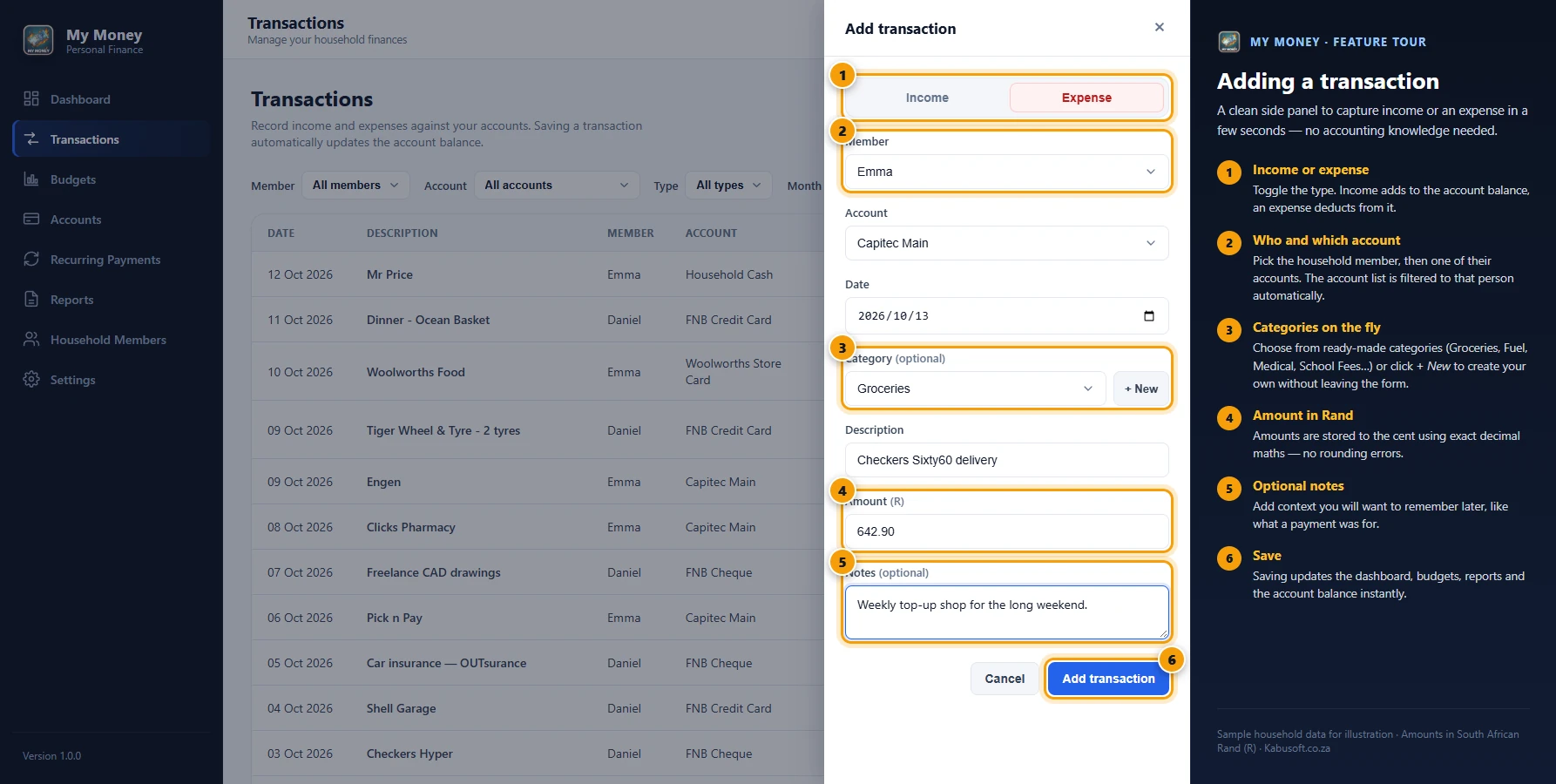
Capture income or an expense in seconds. Choose the member, account and category, and the account balance updates as soon as you save.
-
 View full size
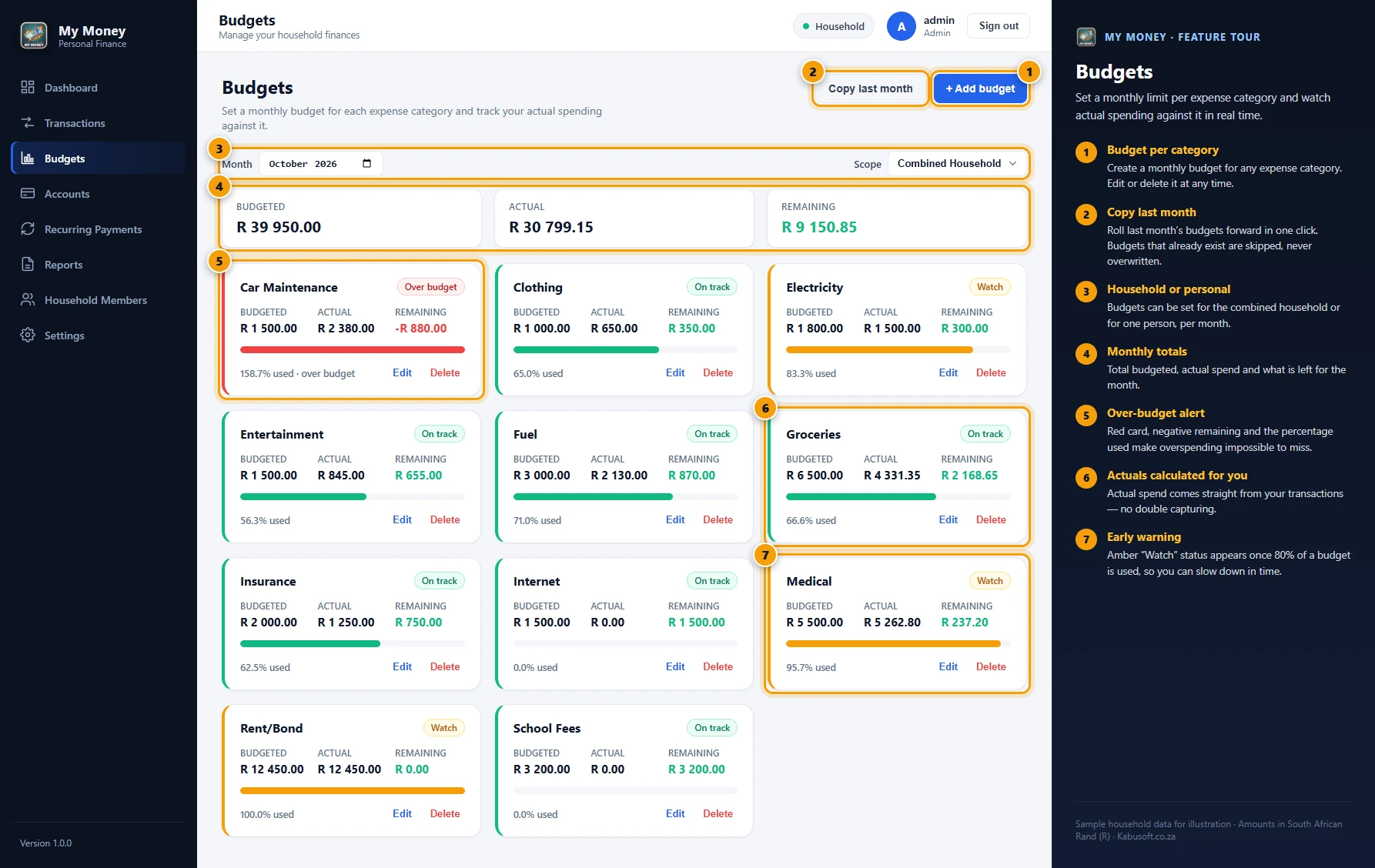
Budgets
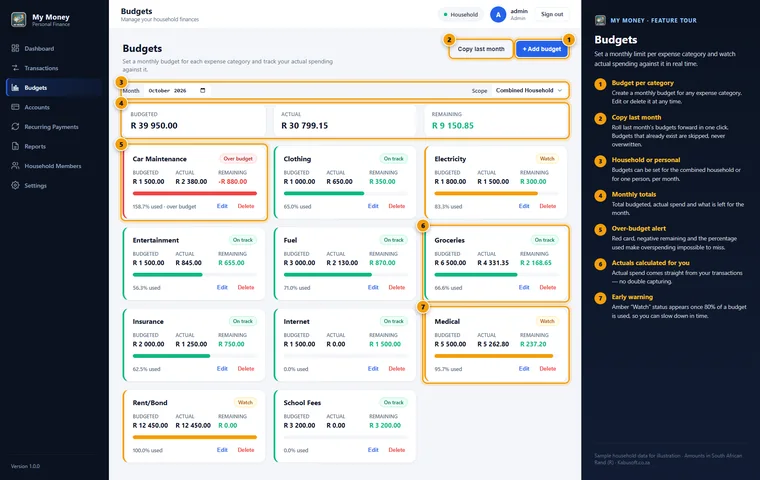
Monthly budgets per category with on-track, watch and over-budget alerts. A watch warning appears once 80% of a budget is used.
-
 View full size
Accounts
All your accounts with live balances, from cheque and savings to credit cards, loans and store accounts. Deactivate an account without losing its history.
-
 View full size
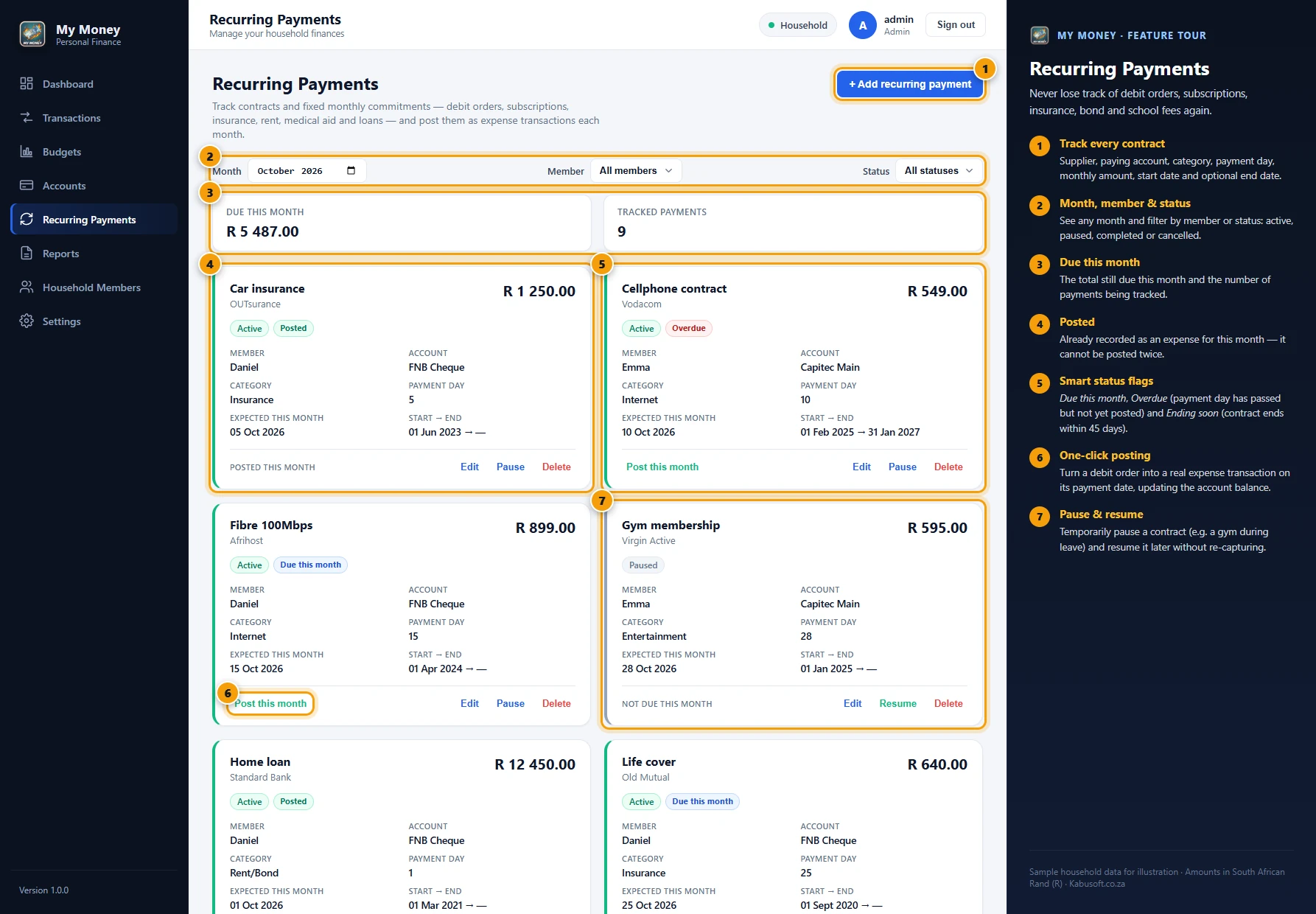
Recurring payments
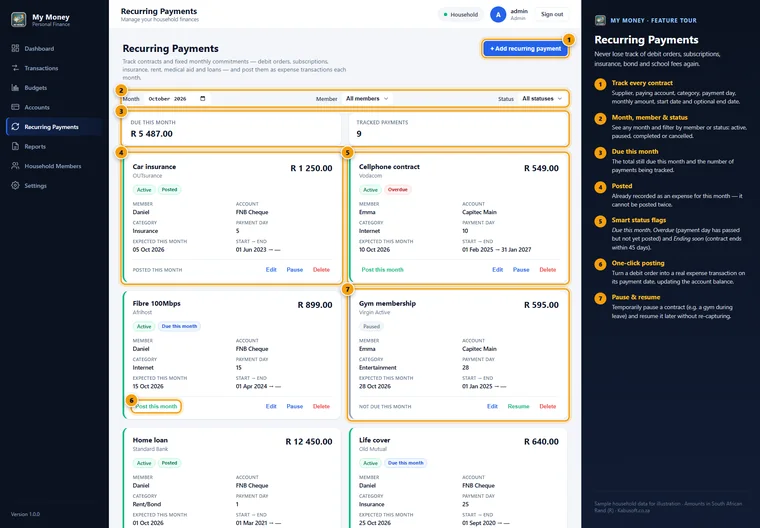
Debit orders and contracts shown as due, overdue, posted or ending soon. Post a payment for the month in one click, or pause and resume a contract.
-
 View full size
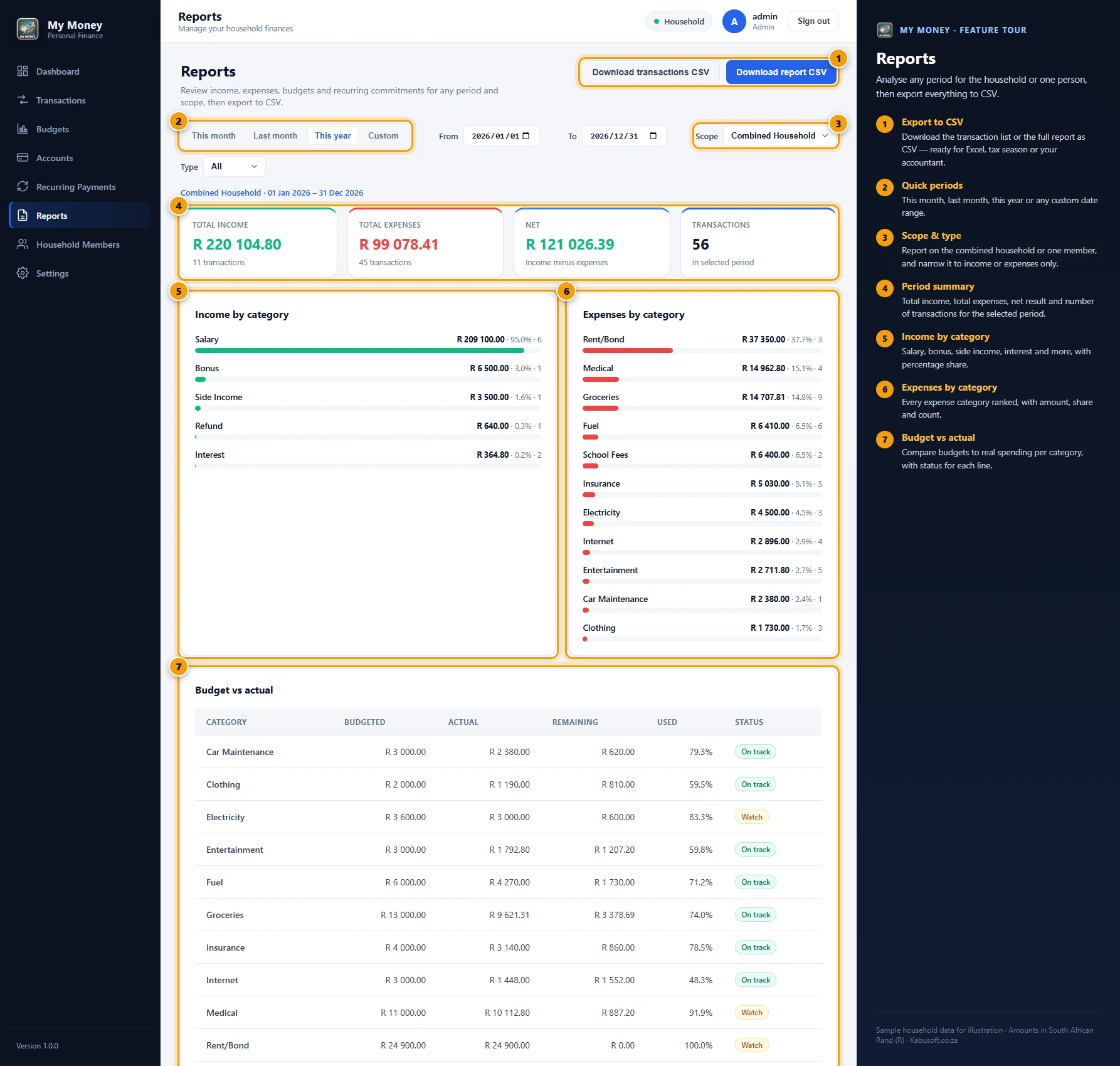
Reports
Reports for any period, for the household or one person, with income and expenses by category and budget versus actual. Export to CSV when you need it.
-
 View full size
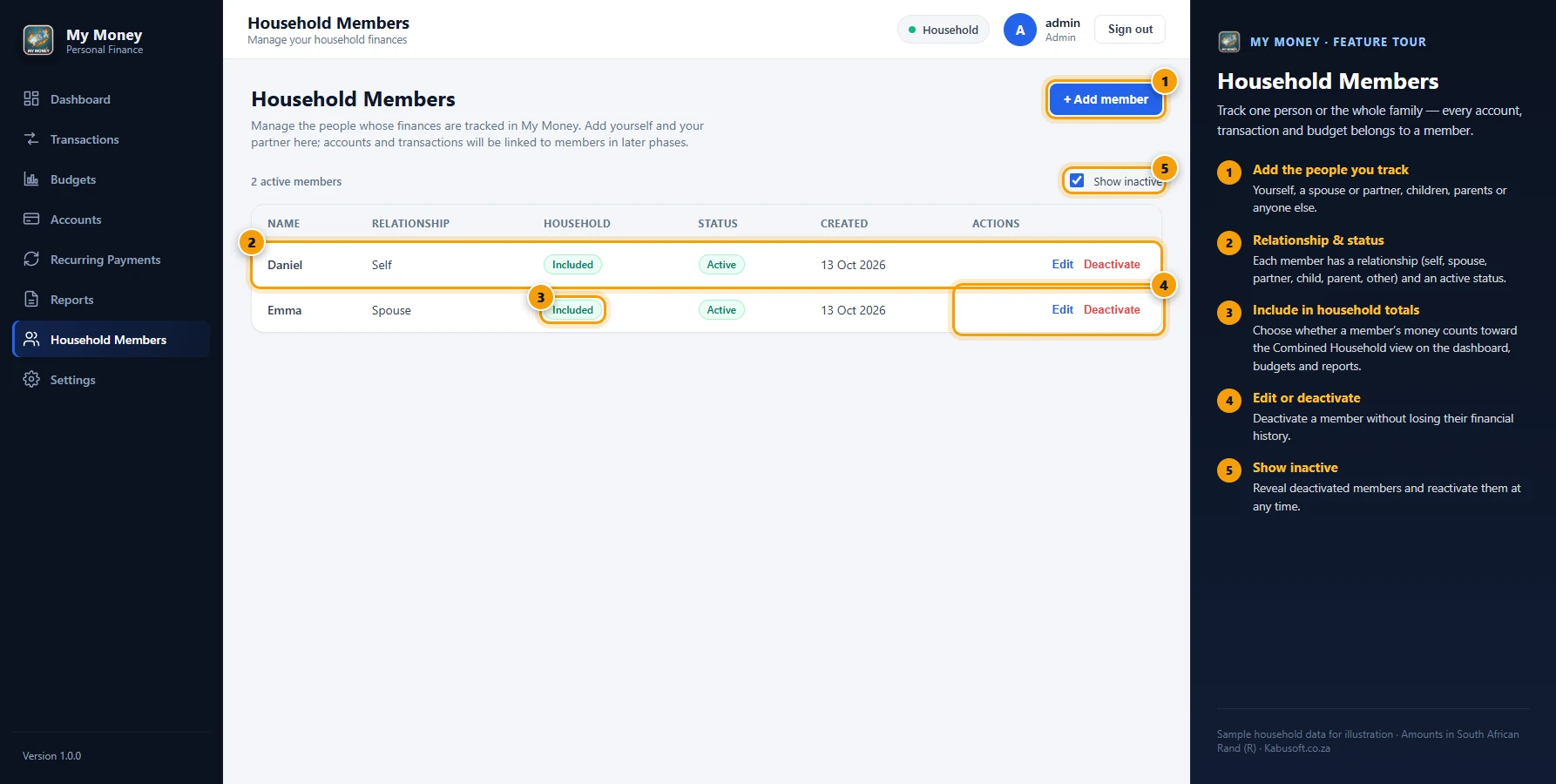
Household members
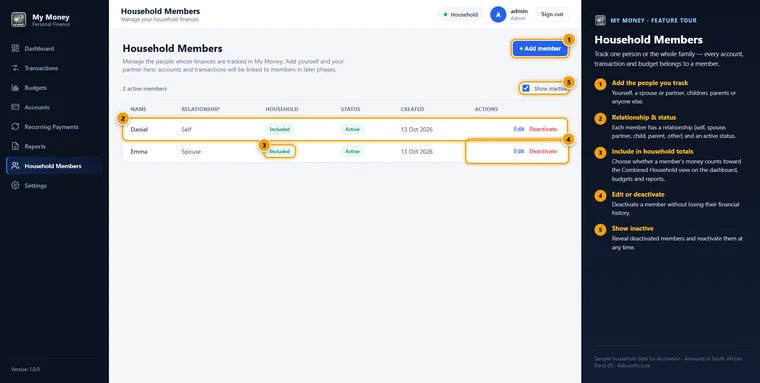
Track yourself, your partner and your family, and choose who is included in the combined household totals.
-
 View full size
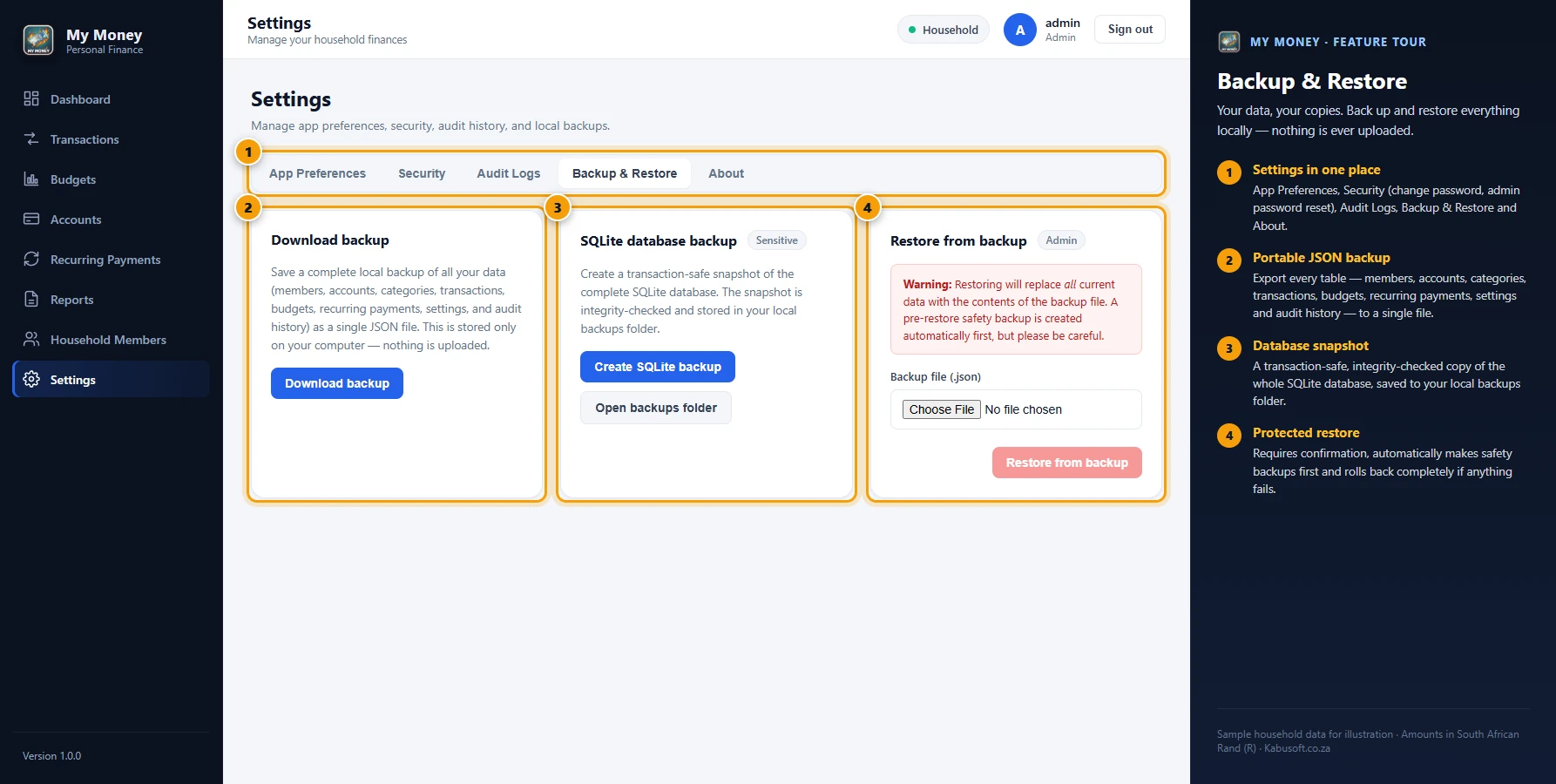
Backup and restore
One-click backups saved on your own computer. Restores are protected: My Money asks for confirmation and makes safety backups first.
-
 View full size
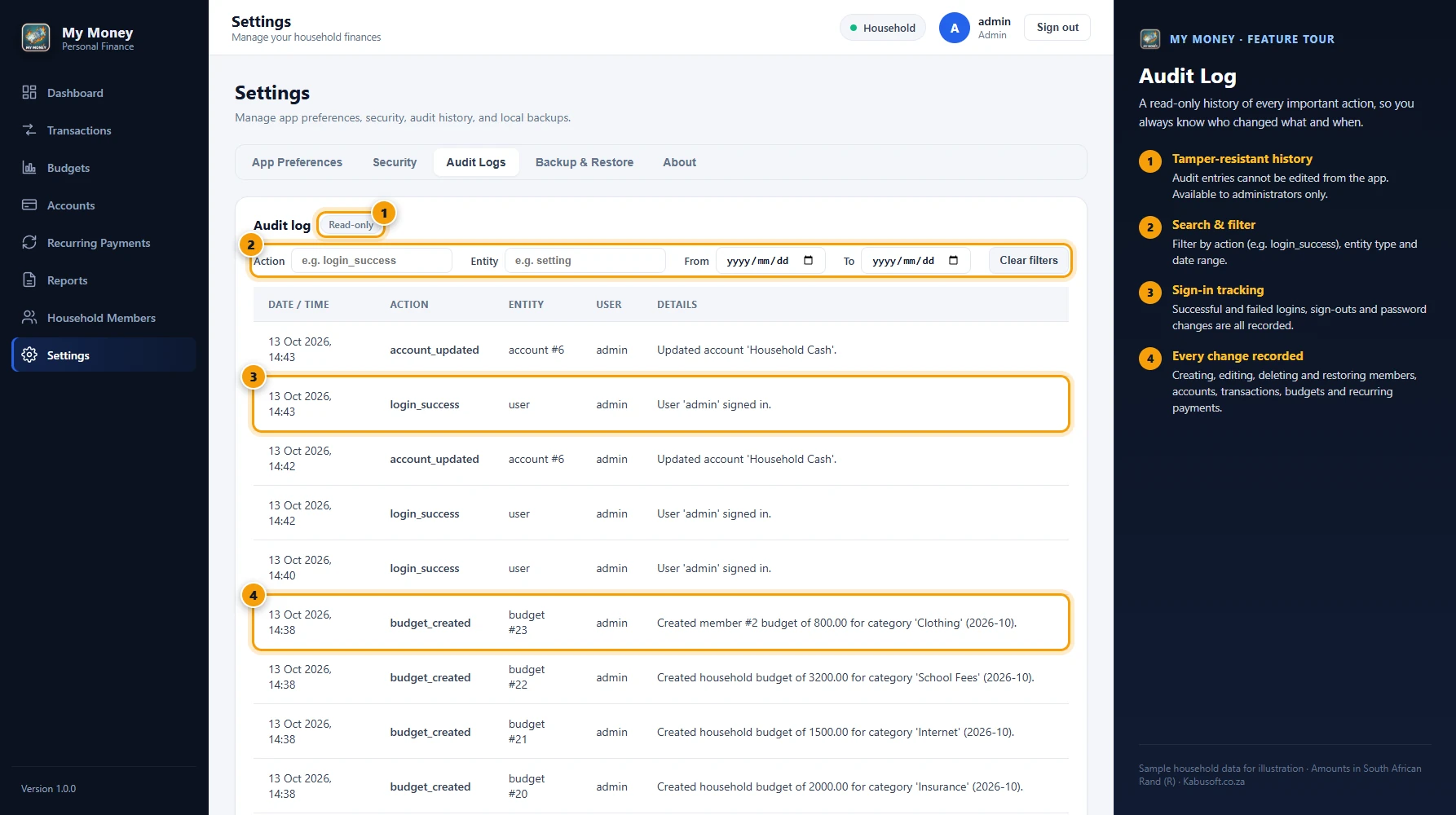
Audit log
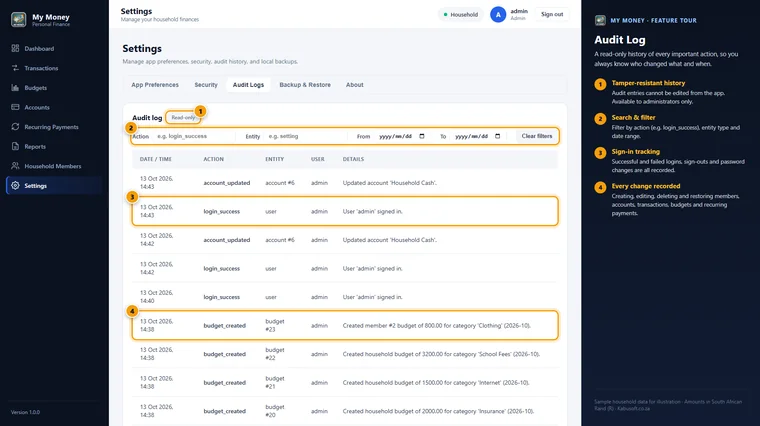
A full, read-only audit trail of sign-ins and changes, available to administrators and filterable by action, entity and date.



Key features
Practical tools for everyday money management.
-
Windows desktop application
My Money installs as a normal Windows desktop application. Open it from your Start Menu or Desktop shortcut without using a web browser.
-
Built-in local database
SQLite is included in the application. There is no database server to install, no separate service to manage and no complicated setup.
Your financial data is stored locally on your computer.
-
Household finance tracking
Manage finances for yourself, your spouse or other household members. View each person separately or see a combined household summary.
-
Account management
Create and manage cheque accounts, savings accounts, cash, credit cards, loans, store accounts and other financial accounts.
Each account tracks its opening balance and calculates its current balance from your transactions.
-
Income and expense tracking
Capture income and expenses with dates, categories, amounts, notes and linked accounts.
Account balances update automatically when transactions are added, changed, deleted or restored.
-
Budget planning
Create monthly budgets for different expense categories. Compare actual spending with your budget to see where you are on track and where you may be overspending.
A watch warning appears once 80% of a budget is used, and over-budget categories are flagged straight away.
-
Recurring payments and contracts
Manage commitments such as insurance, subscriptions, cellphone contracts, rent, internet and other recurring expenses.
See what is due, what has already been posted and what payments are coming up.
-
Dashboard overview
See a quick summary of your month: total income, total expenses, your net result, account balances, budget progress, recurring commitments, top spending categories and recent transactions.
-
Reports and CSV export
View financial reports for selected date ranges and export transaction information to CSV for further analysis or record keeping.
-
Backup and restore
Create backups of your financial data and restore them when needed. Safety checks and restore warnings help protect your information.
-
Password-protected access
My Money includes a local login system. Passwords are stored as secure hashes, sessions expire automatically, and the first sign-in asks you to create a new secure password.
-
Audit log
A read-only record of sign-ins and important changes to members, accounts, transactions, budgets and recurring payments. Administrators can filter it by action, entity and date.
Why choose My Money
Practical, private and easy to use.
Many personal finance tools are either too limited, too complicated or require a cloud account before you can begin. My Money is a good choice if you want:
- A clear monthly view of your money
- A simple way to track income and expenses
- A combined view of household finances
- Better control over monthly budgets
- A place to manage recurring payments
- A local Windows application with no complicated database installation
- Control over your own backups
Who it is for
Built for everyday household money management.
- Individuals managing their personal finances
- Couples managing household income and expenses
- Families who want better budget visibility
- People who prefer desktop software
- People who no longer want to depend on spreadsheets
- Anyone looking for a simpler alternative to a full accounting package
Privacy and requirements
Your data stays on your computer.
Your financial information is stored locally on your Windows computer, in a SQLite database inside your Windows user AppData folder. My Money does not require PostgreSQL, SQL Server or another external database.
Look after your data
Financial information is sensitive. Keep regular backups and protect your Windows account with a secure password.
Product information and system requirements
- Version
- 1.0.0
- Platform
- Windows desktop
- Operating system
- Windows 10 or Windows 11, 64-bit
- Database
- Built-in SQLite, no external database required
- Internet
- Not required. My Money works offline
- Currency
- South African Rand (R)
- User profile
- A local Windows user profile
- Installation
- Permission to install applications
- Created by
- Kabusoft
Get started
Install, sign in and begin.
- Install My Money and open the application.
- Sign in with the default administrator account. You will be asked to change the password before you begin.
- Add your household members, accounts, income, expenses, budgets and recurring payments.
Planned: optional Google sync
Future versions are planned to offer an optional Google account connection and Google Drive synchronisation, so household finance information could be shared with another Google user, such as a spouse.
This is not available in version 1.0.0. It is planned as an optional add-on, and My Money will continue to work locally without it.
Interested in My Money?
Want to know more about My Money?
Contact Kabusoft for more information about My Money, its features or availability.